Sell
Take orders on your own link.
- Your storefront link
- Order ahead
- Pickup
- Scheduled pre-orders
- Dine-in orderingBusiness
Nexq · For cafés, grocers, barbers & more
Sell, serve and bring customers back from one Nexq link — ordering, queues, loyalty, marketing campaigns, retention and customer insights.
Starts free. Upgrade anytime.8 trades live today
Your business
Keeps running as it does
nexq
Your customer layer
Growth: Loyalty, Marketing, Campaigns, Retention · Business: Customers, Insights
Your customers
On their own phone
01Who it's for
Order-ahead shops and walk-in shops run on the same Nexq.
Select a trade to preview how Nexq works for it.
Café · Nexq Counter
Every “Can I order ahead?” answered without you.
“Flat white, oat, extra shot — ordered from the bus, ready at 7:42.”
The morning rush orders before it arrives, instead of walking past the line.
02How Nexq works
The same five steps for every trade. Tap your trade to see the steps change.
Start from a ready-made menu for your trade, then edit it.
Hours, pickup or queue, and your QR poster.
Share your link. Customers use it the same day.
Showing: Café
Runs on order-ahead: customers order from their phone and collect at the counter.
Pick your trade. Nexq starts you with a menu or service list for it.
Café selected — starter menu with milks and sizes ready to edit.
Add your products or services, hours and team. Your till stays as it is.
Add your menu with milks, sizes and extras.
A branded storefront at your-shop.nexq.com.au, plus printable QR posters.
QR on the counter and every table.
From their own phone. Nothing to download. Your team works one board.
“Oat flat white, 7:40” lands on the board and prints.
Rewards, offers and win-back emails to customers who have gone quiet.
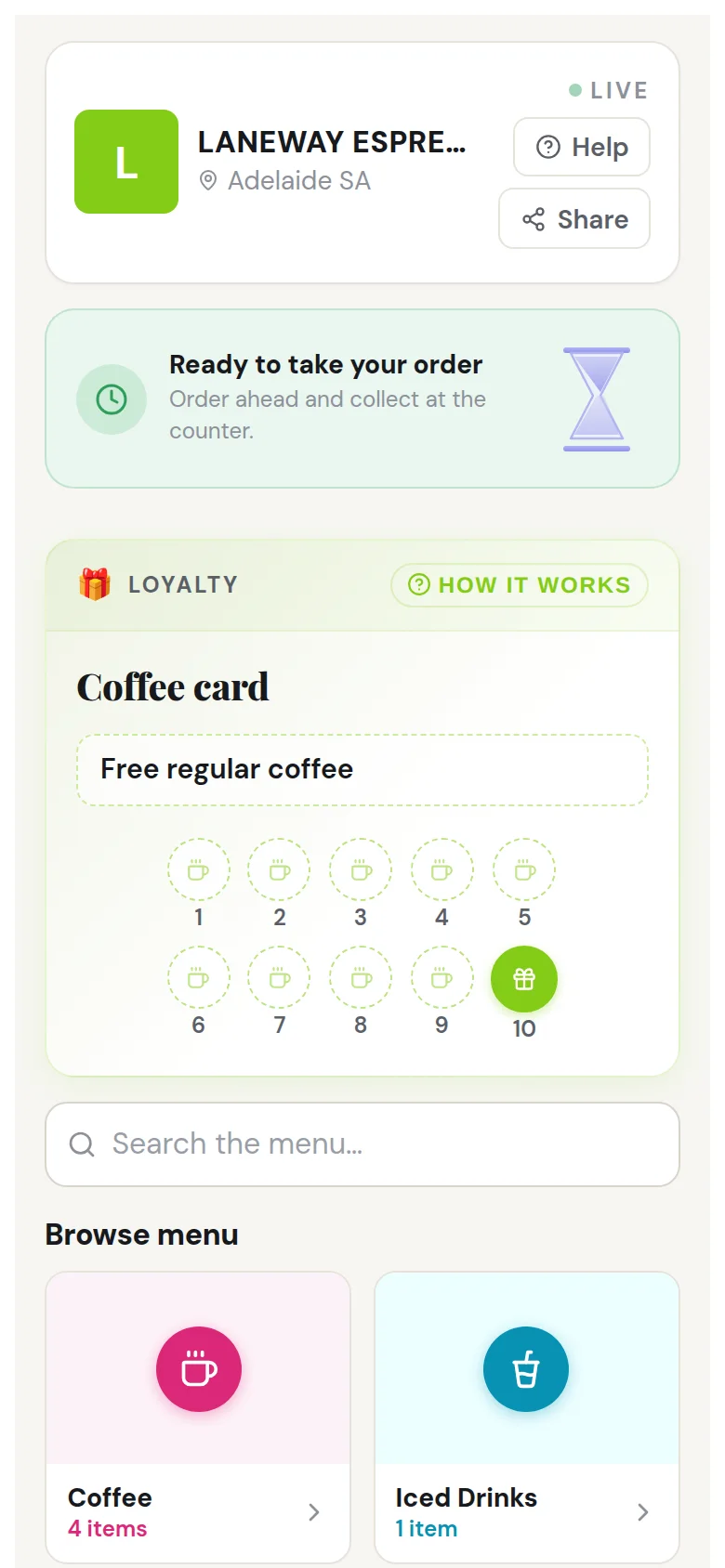
Tenth coffee free; “Haven’t seen you in a while” goes out automatically.
Starts free. Upgrade anytime.
03More than ordering
Ordering, customer experience, loyalty, marketing, operations and insights — connected in Nexq.
Tap each part to explore it.Each part links to the demo below, where you can try it.
Nexq
Take orders on your own link.
Sell
Take orders on your own link.
Serve
Run the counter and the queue from one board.
Brand
Your name on every step.
Grow
Bring customers back with loyalty, offers, campaigns and automatic win-back.
Know
See what's working.
Connect
Keep what already works.
Own the customer relationship
Build loyalty, campaigns and repeat visits under your own brand.
04Try it
Tap through the real screens: your customer's phone, your staff board and your owner view.
Step 1 of 5Laneway Espresso
Your shop's own link, from a QR on the counter or a tap on Instagram. Nothing to install.
Tap “Coffee”
Demo dataFictional shops and customers
05Your tools
No POS replacement required. Nexq works alongside the setup you already have: your till keeps taking payment, and Nexq adds the customer side it doesn't have.
Your POS
Keeps doing what it does
Nexq
The customer layer
Your customer sees
Your own branded link — order ahead or join the queue, and earn as they go. They pay at your counter, the way they do today.
Keep Square for your POS and payments while Nexq handles the customer experience: ordering, queues, loyalty and win-back.
No POS replacement required. Nexq works alongside the setup you already have.
Nexq takes 0% commission on your sales. Your payment provider's normal card fees still apply.
06Missed customers
Put in your own numbers. It's worked out on this page, and nothing you type is sent anywhere.
Every “Can I order ahead?” answered without you.
Cafés, bakeries and food trucks
Example numbers — change them.
Missed sales, on your numbers
A$23,400a year
Estimate based on your inputs — not a guaranteed result.
A live queue and order-ahead are built for these moments.
Get my store live07Why Nexq
Most shops cover these jobs with a separate tool each — each with its own login, its own bill and its own copy of your customers.
6 logins6 bills6 customer lists
2 logins2 bills1 customer list
08Compare
A leading tool in each category, compared on the jobs a local shop needs done. Checked against each vendor’s own Australian pages, September 2026. Individual products vary.
Scroll the table sideways to see every kind of tool.
| Job | Nexq | POS add-on modules | Order-ahead app | Booking app | Queue tool | Delivery marketplace |
|---|---|---|---|---|---|---|
| Keep your existing till | Yes | Partly | Yes | Yes | Yes | Yes |
| Order ahead and pickup | Yes | Yes | Yes | Partly | Partly | Yes |
| Walk-in queue | Yes | No | No | Partly | Yes | No |
| Loyalty — Growth plan | Yes | Partly | Yes | Partly | No | No |
| Customer list — Business and Growth | Yes | Yes | Partly | Yes | Yes | Partly |
| No commission on your sales | Yes | Yes | No | Partly | Yes | No |
Yes CoveredPartly Partly, or as a paid add-onNo Not covered
09Pricing
Flat monthly pricing. 0% commission. No markup on your prices. Starts free. Upgrade anytime. Every price includes GST.
FreeGST incl.
A$0/ month
Includes:
BusinessGST incl.
A$49/ month
Everything in Free, plus:
Upgrade anytime from your admin portal.
GrowthGST incl.
A$79/ month
Everything in Business, plus:
Upgrade anytime from your admin portal.
Nexq takes 0% commission on your sales.
No markup on your prices — customers see exactly what you charge.
Your Nexq subscription is a flat monthly fee. Payment-processing fees, where applicable, are charged separately by your payment provider.
Not sure which plan fits?
10Questions
Nexq is online ordering, queue management, loyalty and customer retention for local businesses, on the shop's own branded link. Customers order ahead or join the queue from their phone, with nothing to download, and Nexq helps you bring them back. It works alongside the till you already use.
Local shops where customers collect, dine in or walk in: cafés, bakeries, food trucks, florists, barbershops, Indian grocers, butchers and specialty retailers.
Nexq has 3 plans: Free (A$0), Business (A$49 a month) and Growth (A$79 a month), GST included. Each extra location is A$15 a month. You can start free and upgrade anytime.
No. Nexq takes 0% commission on your sales — you pay a flat monthly plan instead. Card fees are your payment provider's, as they are today.
No. Customers see exactly the prices you set.
No. Your till keeps working as it does, whether that's Square or any other. Customers order through Nexq and pay at your counter, and your menu lives in Nexq.
Yes, alongside it. Keep Square for your POS and payments; Nexq handles ordering, queues, loyalty and win-back, and customers pay at your counter.
No. They scan your QR code or open your link in their phone's browser. Order updates arrive as a browser notification or an email.
Not yet. Today customers order ahead and pay at your counter.
The Growth plan. It includes loyalty and rewards, offers, email campaigns and automatic win-back emails.
You do. Customers opt in to hear from your shop, and Nexq never markets to them or sells the list.
A phone or tablet behind the counter and a printer for your QR poster. There is no hardware to buy and nothing to install.
No. Nexq is for customers who collect, dine in or queue. Keep a delivery app for delivery if you use one.
Each business can run several locations, each with its own hours, menu and staff. Extra locations are an add-on to your plan.
Loading