Nexq for grocery stores
Every “Can I order ahead?” answered without you.
The whole list, packed before they arrive.
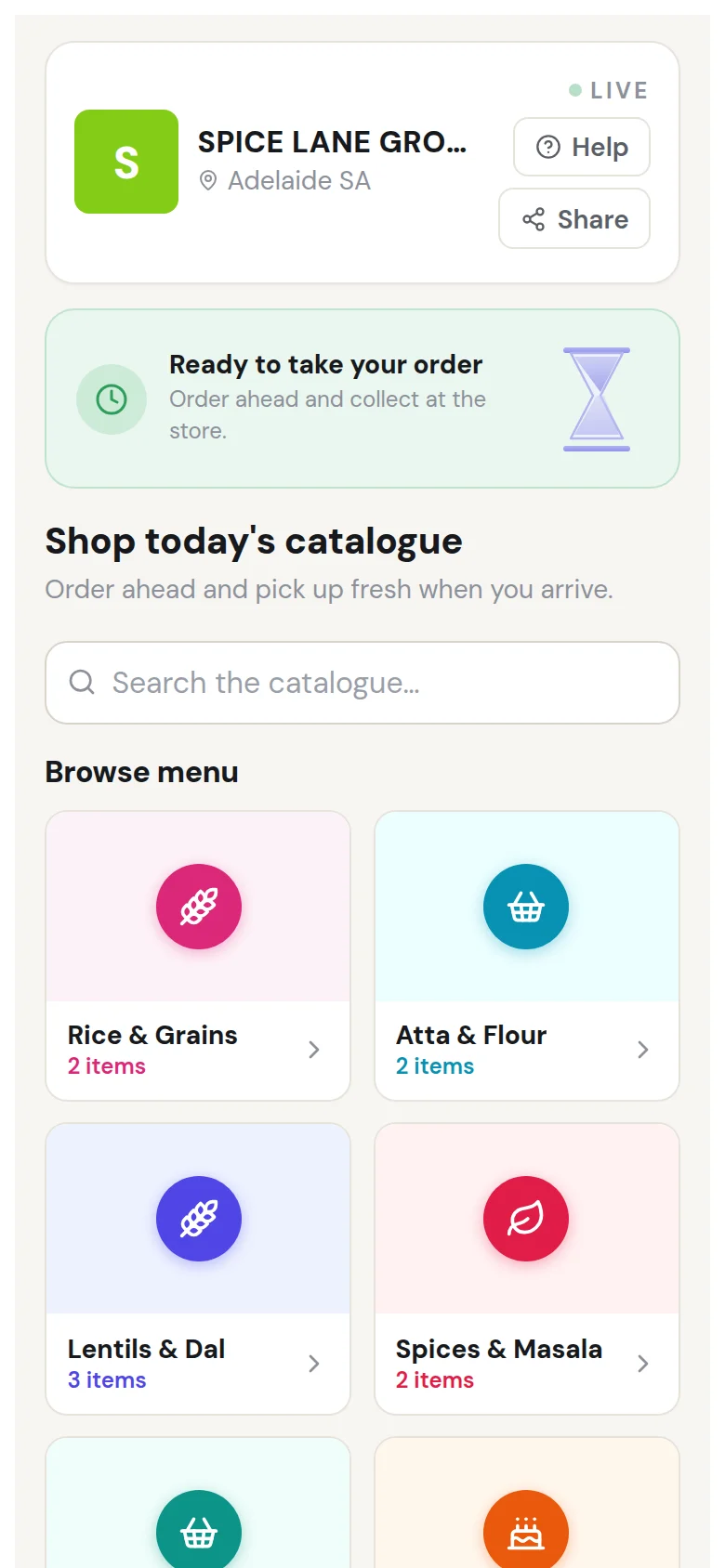
Customers can order fresh produce, pantry staples, drinks and everyday groceries by item, pack, weight or volume, then choose a pickup time. Big weekly baskets arrive as a written order instead of a phone call or a photo of a handwritten list.
Free to start — no card required
- No markup on your prices
- No app to download
- No card to start
- Pay at the counter
Pickup order
Your grocery store
4
Orders ahead of yours
Est. ready
~16 min
Ordered
From their phone
Preview — what your customer sees
Three things happen. That's the product.
Add your range
Start from a grocery starter menu — the ready-made one covers an Indian grocery's range, from rice, flour and dal to spices and snacks — then add your fresh produce, pantry staples and drinks and set your prices and pack sizes.
Setup — menuAvailable today- Flat whiteReady in 4 min$5.00
- ToastieReady in 8 min$12.00
- Banana breadBy the slice$6.50
Open for ordersYour screen — your menu Share your link
In your WhatsApp status, on the shopfront and at the till.
Your shop
Scan to order ahead
Order now, collect when it's ready
The poster on your door Pack & notify
Pack the basket, tap to notify, and they collect it without waiting.
Staff — ordersOrdersOpen- 1Ready to hand overPaid · 2 items
- 2Making nowPaid · 1 item
- 3QueuedPaid · 3 items
Mark readyPauseYour counter, live
Built for how a grocery store actually runs.
- Nº 01
Order by item, pack or weight
Sell by the item, the pack — 1kg, 5kg, a dozen — or by weight or volume, so the order says exactly what to pack.
No guessing the size - Nº 02
A collection time for every basket
Customers choose when they will collect, so you pack big weekly orders between customers instead of while someone waits.
Packed between customers - Nº 03
Ready alerts
Tap once when the basket is packed and their phone tells them it's ready to collect.
Straight in, straight out
Give your regulars a reason to come back to you.
A loyalty program you run for your own customers, in three parts you control: the card they fill, the reward you decide it's worth, and the message you send when someone drifts. Loyalty, offers and win-back emails are on the Growth plan.
- The card you give them
A card your customers can't leave at home.
You don't hand anything out. A stamp lands on your customer's card automatically every time they join your queue or place an order — no code to scan at the counter, no app for them to download, nothing for your staff to remember. It sits on the same page they already used to reach you.
What it's worthGrocery is a weekly habit and holidays and festivals are the peaks. Reminding last year's peak-season shoppers is how the peak comes back to you.
What you'd put at the end of the card: 10th order on us.
Your shop9/10- 1
- 2
- 3
- 4
- 5
- 6
- 7
- 8
- 9
One more to go
10th order on us
Their card — always on their phone
You decide what your customers come back for.
Four kinds of reward you can put on the end of the card, and they cost you very different things. Switch which one you're offering whenever the shop needs something different.
You give money off
$10 offA flat dollar amount comes off your customer's next visit.
When to pick itWhen you want the reward to land as something concrete. On a $40 sale, “$10 off” reads bigger to a customer than “25% off” — even though it is the same money out of your till.
Reward unlocked
$10
off
off your next visit
Use my rewardWhat lands on their phone You give a percentage off
10% off for the holidaysYour customer gets a percentage off, and you can pin it to a particular day or time.
When to pick itWhen you want to move demand rather than just discount it. Put it on your quietest day and the reward fills a gap, instead of cutting the price of a queue you already had.
Reward unlocked
10%
off for the holidays
on the day you choose
Use my rewardWhat lands on their phone You give a free item
Free loaf of breadSomething off your own shelf, free with your customer's next visit.
When to pick itWhen you would rather give stock than margin. It costs you wholesale, not retail — and it puts a product in the hands of a customer who has never bought one.
Reward unlocked
Free loaf of bread
on the house
Use my rewardWhat lands on their phone You give a free add-on
Packed firstAn extra service from you, on top of what your customer came in for.
When to pick itWhen you have staff time but not more customers. It costs you minutes rather than stock, and it shows a customer a service they might start paying for.
Reward unlocked
Packed first
added to your visit
Use my rewardWhat lands on their phone
- The message you send
Message the regulars who quietly stopped coming in.
Nobody announces they've stopped being a regular — they just drift. You pick a group of your customers, write one line, and send it. Only to the ones who opted in, and only ever your own list — never a bought one.
What it's worthA message to someone who already chose you once lands better than an ad to someone who never has — and unlike an ad, sending it costs you nothing.
The message you'd sendTo: Customers who ordered before the holidays last year
"Holiday stock is in — order now and collect this week."
CampaignWho it goes toCustomers who ordered before the holidays last yearWhat they getHoliday stock is in — order now and collect this week.
SendPreviewOpted-in customers only — your list, never a rented one
Your screen — bring them back
Your customer hears about it the moment they've earned it.
No expired card in a wallet, no "I think I had a few stamps". The reward you set appears on your customer's phone the moment their card fills, and they redeem it in one tap at your counter.
Free order
10th order on us. Show this next time you're in — we'll take care of the rest.
The questions merchants actually ask us.
What kind of grocery store is it for?
Independent grocers and neighbourhood grocery stores, Asian and Indian grocery stores, specialty food stores, and fresh produce and farm shops — any shop where customers put together a basket to collect.
Can customers choose pack sizes?
Yes. Each product can carry its own sizes, such as 1kg, 5kg or 10kg, each with its own price.
Can customers order for a collection time?
Yes. They choose a collection time from the times you open, and the order shows on your board with that time.
Do customers pay online?
Not yet. Customers order ahead and pay at your counter when they collect.
Can I send seasonal offers?
Yes, on the Growth plan. Email campaigns and offers go to customers who have opted in to hear from your shop.
Guides
Guides for grocery stores
- How to set up order ahead and click & collect for a local shopA step-by-step guide to order ahead and click & collect for a local shop: menu and options, pickup times, pausing when busy, and handover at the counter.
- Commission-free online ordering: what 0% commission meansWhat commission-free online ordering means on Nexq: no cut of your sales, no markup on your prices, customers pay at your counter, and a flat plan if you choose one.
Open your grocery store this afternoon.
No card to start, no hardware to buy, nothing to install.
Nexq also powers